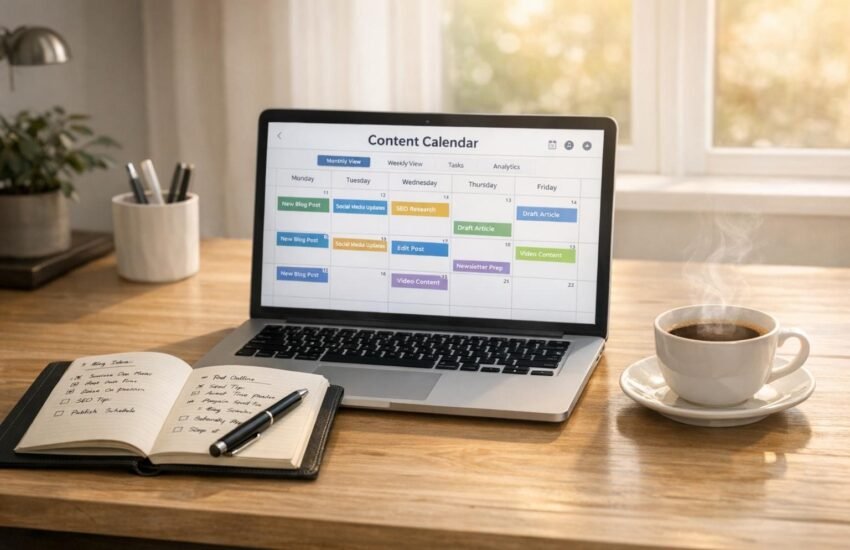
Managing a blog becomes challenging when you have several article ideas but no clear plan for publishing them. Sometimes you may spend more time deciding what to write than actually creating useful content.
A blog content calendar can solve this problem. It gives you a clear view of your upcoming articles, publishing dates, topics, and writing progress.
However, creating a useful calendar is not just about adding titles to a spreadsheet. You also need to understand your audience, choose relevant topics, and make sure every article serves a purpose.
In this guide, you will learn how to create a blog content calendar from scratch, organize your ideas, and use a practical monthly example to plan your content.
What Is a Blog Content Calendar?
A blog content calendar is a planning document that helps you organize and schedule blog posts before publishing them.
It usually contains information such as:
- Article title
- Main topic
- Target keyword
- Content category
- Planned publishing date
- Writing status
- Notes and updates
For example, if you publish articles about blogging, productivity, and digital skills, a content calendar helps you distribute these topics throughout the month.
You can create one using a spreadsheet, notebook, or online planning tool. The format does not matter as much as having a system that you can maintain.
Why Do Bloggers Need a Content Calendar?
A content calendar is useful for both new and experienced bloggers. It makes content planning more organized and helps prevent common publishing problems.
1. It Reduces Last-Minute Topic Searching
Without a plan, you may struggle to find a new topic whenever you want to publish an article.
Keeping a list of researched ideas gives you a starting point and saves time.
2. It Helps Maintain Topic Balance
Publishing too many articles about the same subject can make your blog feel repetitive.
A calendar helps you distribute articles across relevant categories and identify topics that still need attention.
3. It Makes Keyword Planning Easier
You can assign a primary keyword to each article before writing.
This helps you understand the purpose of every post and avoid creating several articles that target almost identical search queries.
4. It Makes Progress Easier to Track
A content calendar allows you to see which articles are planned, being written, waiting for editing, or already published.
This is particularly useful when managing a blog independently.
How to Create a Blog Content Calendar Step by Step
You do not need advanced software or technical knowledge to get started. Follow these steps to build a simple planning system.
Step 1: Understand Your Blog’s Main Topics
Start by identifying the main subjects your website covers.
For example, a website focused on blogging, digital skills, and productivity might use these categories:
- Blogging and SEO
- Digital Skills
- Personal Productivity
- Writing and Communication
These categories give your content a clear direction.
Before adding new categories, consider whether they are relevant to your existing audience and website purpose.
Step 2: Find Topics Your Readers Need
Your next task is to identify questions and problems that readers want help with.
Think about what someone might search for when visiting your website.
For example:
- How can beginners organize blog posts?
- What makes a blog article useful?
- How can someone improve their writing routine?
- How do beginners plan their weekly tasks?
You can also review relevant search suggestions and questions from your audience.
The goal is to find topics that match your website’s focus rather than choosing subjects simply because they appear popular.
Step 3: Research Keywords Before Scheduling
Keyword research helps you understand how people describe the topics they are interested in.
For every planned article, choose one primary keyword and identify a few related terms where appropriate.If you want to understand the basics of search engine optimization, read our guide on what is SEO and how it works.
For example:
Article topic: Creating a blog content calendar
Primary keyword: Blog content calendar
Related terms:
- Content planning for bloggers
- Monthly blog schedule
- Blog post planning
- Content calendar template
Do not force every related phrase into the article. Use keywords naturally where they help explain the subject.
If you are new to keyword research, read our guide on how to choose the right keywords for SEO.
Step 4: Choose a Realistic Publishing Schedule
Decide how many articles you can produce without reducing their quality.
For a beginner managing a blog alone, one article per week can be a reasonable starting point.
However, your schedule should depend on the time required for research, writing, editing, and image preparation.
It is better to publish fewer useful articles than to rush several incomplete posts.
Step 5: Create Your Monthly Content Calendar
Now bring your topic ideas, keywords, and publishing dates together.
You can start with a simple spreadsheet containing these columns:
- Week
- Article title
- Category
- Primary keyword
- Publishing date
- Status
Here is an example of a monthly content plan.
A Real Example of a Monthly Blog Content Calendar
Imagine you manage a website about blogging, digital skills, and productivity.
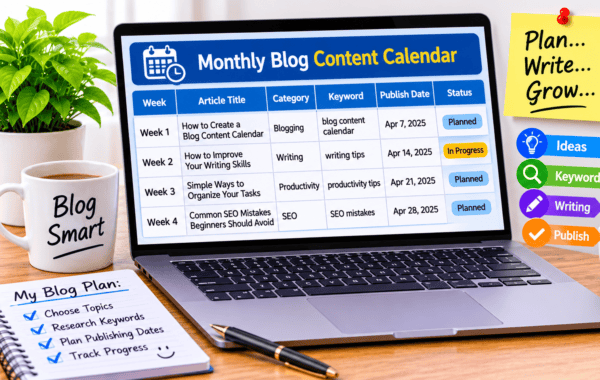
You want to publish four useful articles during the next month. Your calendar might look like this:
| Week | Article topic | Category | Status |
|---|---|---|---|
| Week 1 | How to Create a Blog Content Calendar | Blogging | Planned |
| Week 2 | How to Improve Your Writing Skills | Writing | Planned |
| Week 3 | Simple Ways to Organize Your Daily Tasks | Productivity | Planned |
| Week 4 | Common SEO Mistakes Beginners Should Avoid | SEO | Planned |
This example gives you a clear publishing direction without making the schedule difficult to manage.
You can replace these topics with subjects that are more relevant to your audience.
How to Track Each Article From Idea to Publication
Planning an article is only the beginning. You also need a way to monitor its progress.
A simple status system can make this process easier.
Idea: You have selected a topic but have not started researching it.
Researching: You are checking relevant information, keywords, and useful examples.
Writing: The article is being drafted.
Editing: You are checking grammar, clarity, headings, and factual accuracy.
Ready to Publish: The article has been reviewed and its images and SEO details are prepared.
Published: The article is live on your website.
Updating these statuses regularly helps you identify unfinished work and plan your next task.Once your content plan is ready, learn how to compose an SEO-friendly blog post to organize and optimize your articles.
Free Tools You Can Use to Plan Blog Content
Several free tools can help you create and maintain a content calendar.
Google Sheets
Google Sheets is useful for beginners who want a simple monthly planning system. You can create columns for article titles, keywords, dates, and progress.
Trello
Trello helps organize tasks using boards and cards. You can create separate lists for ideas, research, writing, editing, and published articles.
Notion
Notion allows you to organize article ideas, research notes, and publishing schedules in one workspace.
You do not need to use all three tools. Start with one that is easy to understand and update.
Common Blog Content Calendar Mistakes
Even a well-organized calendar can become ineffective if you make certain mistakes.
Planning More Articles Than You Can Write
An unrealistic schedule can create unnecessary pressure. Plan according to your available time and the effort each article requires.
Choosing Topics Without Research
Random topics may not match your audience’s needs. Spend some time understanding the questions and problems related to your niche.
Repeating Similar Articles
Before adding a new topic, review your existing posts. If you have already covered the subject, consider updating the older article or exploring a genuinely different question.
Ignoring Older Content
Your content calendar should not focus only on new articles. You can also schedule time to review older posts, correct outdated information, improve explanations, and update broken links.
Forgetting to Review Your Results
Check how your articles perform over time. Search Console can help you understand which pages receive impressions and clicks and which topics may need improvement.
How to Keep Your Content Calendar Updated
A content calendar should be flexible rather than a fixed schedule that you can never change.
Review it at least once a month and consider these questions:
- Are the planned topics still relevant?
- Have similar articles already been published?
- Are there useful questions that readers still need answered?
- Do older posts need updated information?
- Is the publishing schedule manageable?
These regular reviews help keep your content strategy focused and useful.
Frequently Asked Questions
1. Is a blog content calendar necessary for beginners?
It is not compulsory, but it can make blogging easier. A simple calendar helps beginners organize article ideas and avoid confusion about what to publish next.
2. How many blog posts should I plan each month?
There is no universal number. Start with a schedule you can manage consistently. The quality and usefulness of your articles should matter more than the total number of posts.
3. Can I create a content calendar for free?
Yes. Google Sheets, Trello, and Notion offer free options that can help you organize your blog content.
4. Should I include keywords in my content calendar?
Yes. Adding a primary keyword to each planned article can help you organize your topics and maintain a clear SEO strategy.
5. Should I plan content for the entire year?
You can create a broad list of long-term ideas, but a monthly calendar is often easier to manage. Review your topics regularly and adjust them when necessary.
Final Thoughts
A blog content calendar is a simple but useful way to bring structure to your blogging routine. It helps you organize article ideas, plan publishing dates, track progress, and identify opportunities to improve existing content.
You do not need expensive tools or a complicated system to begin. A basic spreadsheet with a few important columns is enough to get started.
Choose relevant topics, research them properly, and create a publishing schedule that fits your available time. Most importantly, focus on answering readers’ questions with clear and useful information.
With regular planning and thoughtful content creation, managing your blog can become a much more organized process.